

X-Code: Code Editor
X-Code: Code Editor

Advanced Monaco-Based Editor
Multi-Language Support
Built-in File Manager
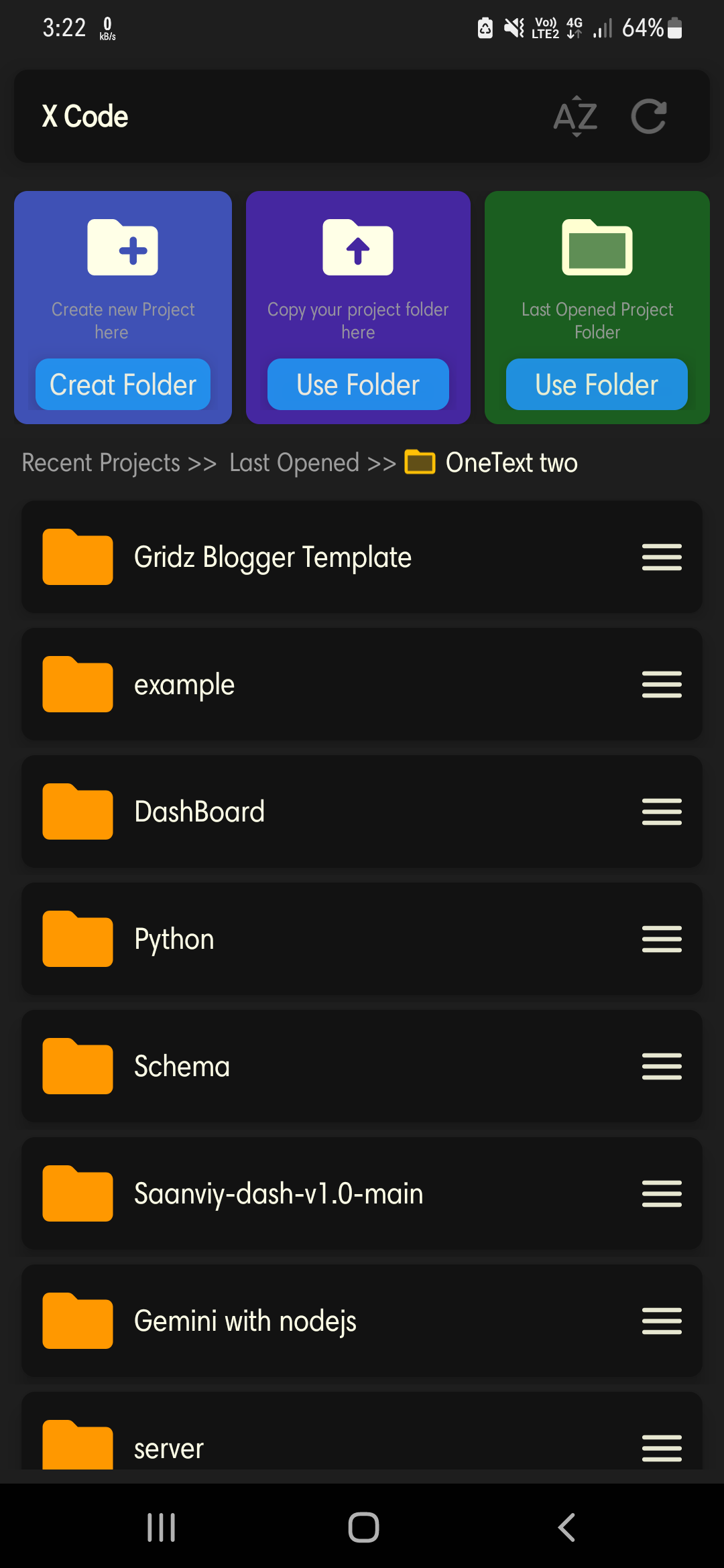

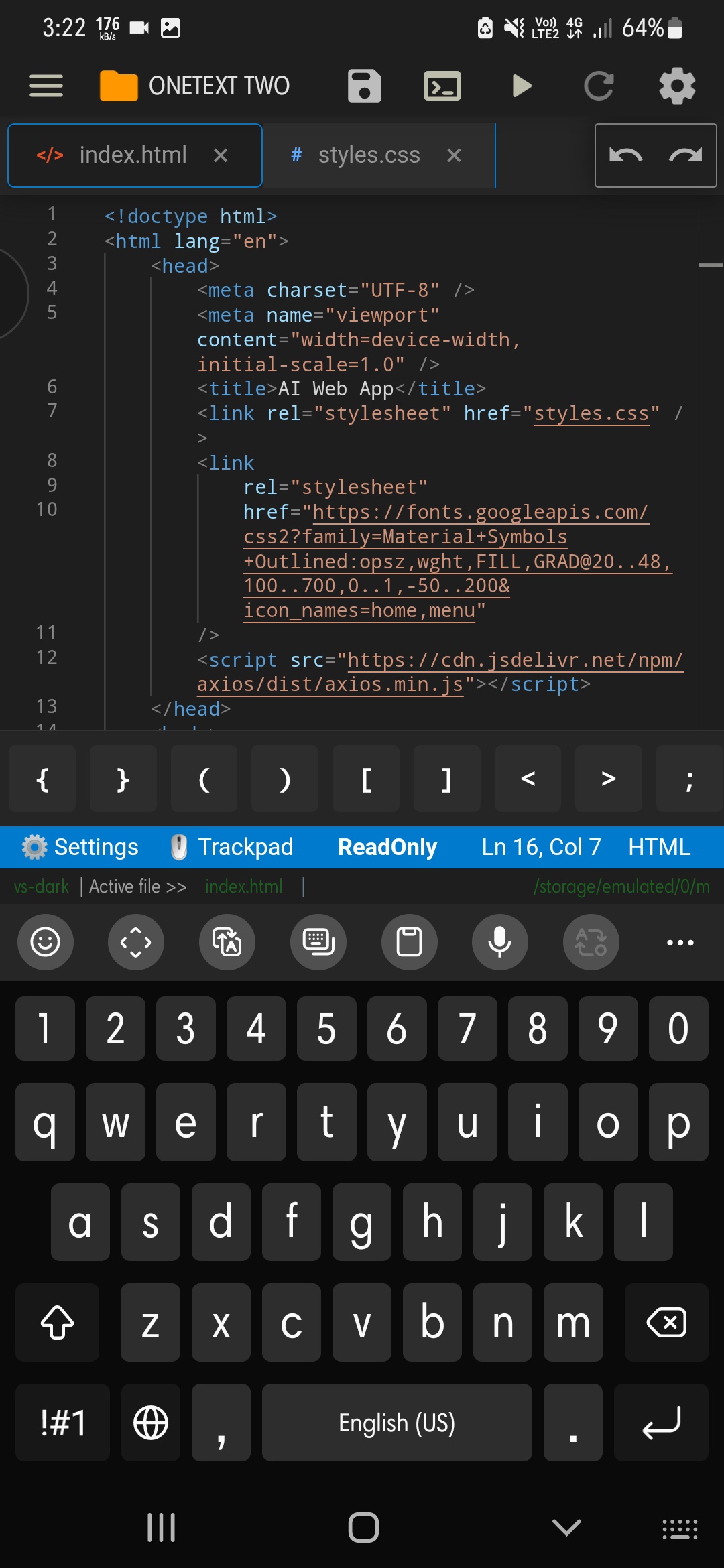
Key Features of X-Code: Code Editor
Transform your experience with X-Code: Code Editor's main features.
Advanced Monaco-Based Editor
Built with Monaco Editor to provide a powerful, professional-grade coding environment with smooth performance and fast syntax highlighting right on your mobile device.
Explore features and benefits.
Experience innovation at hand.
Download and start using.
Multi-Language Support
Write and edit code in multiple programming languages including HTML, CSS, JavaScript, Python, and more with full syntax highlighting support.
Improved performance and stability.
Regular software updates.
Enhanced user experience.
Why choose X-Code: Code Editor
Streamline your life with X-Code: Code Editor today!

Built-in File Manager
Manage your projects effortlessly with full storage access, allowing you to browse, open, and edit local files directly from your device storage.

Mobile-Optimized Workflow
Specifically designed and optimized for mobile coding, providing a smooth and flexible development experience tailored for on-the-go programming.

Offline & Online Project Support
Work seamlessly with both offline local projects and online resources, giving you the flexibility to code anywhere, anytime without internet dependency.


Reviews about X-Code: Code Editor
Discover our users' feelings and comments.
I've been using X-Code: Code Editor for a while, and it’s amazing! The design is intuitive, and the features work seamlessly.

Shusovon
Mar 31, 2026
I can't get enough of X-Code: Code Editor! It’s fun and engaging. It’s worth every download!
David
Mar 20, 2026
X-Code: Code Editor has greatly enhanced my experience. The performance is top-notch. Five stars from me!
Riya
Mar 6, 2026
FAQs about X-Code: Code Editor
Browse the most frequently asked questions that you may interested in.
What is X-Code: Code Editor?
X-Code is a powerful and lightweight code editor built with Monaco Editor, designed for developers who want a fast, flexible, and mobile-friendly coding experience on their Android devices.
What programming languages does X-Code support?
X-Code supports multiple programming languages including HTML, CSS, JavaScript, Python, and more, with smooth syntax highlighting for each language.
What are the main features of X-Code?
X-Code offers an advanced Monaco-based code editor, built-in file manager with full storage access, syntax highlighting, ability to open and edit local files, optimized mobile coding workflow, and works with both offline and online projects.
Can I edit local files on my device with X-Code?
Yes, X-Code includes a built-in file manager with full storage access, allowing you to open, edit, and manage local project files directly on your Android device.
Does X-Code work offline?
Yes, X-Code is optimized to work with both offline and online projects, making it convenient for coding on the go without internet connection.
Is X-Code optimized for mobile devices?
Yes, X-Code is specifically optimized for mobile coding workflow, providing a smooth and professional coding environment designed for touchscreen devices and mobile development.
What makes X-Code different from other mobile code editors?
X-Code is built with Monaco Editor (the same editor that powers VS Code), making it a powerful yet lightweight solution with advanced features, full storage access, and a professional coding environment specifically optimized for mobile devices.
Start your free trial for X-Code: Code Editor today!
Enjoy your everyday with X-Code: Code Editor.
Let's keep in touch!
Subscribe to our newsletter for the latest news and updates.
By subscribing, you agree to X-Code: Code Editor Privacy Policy.